INSTALLATION & CARE
A clean start.
A clearer view.
Your screen protector, one step at a time. Prepare your space, follow the frame and take a moment for the finishing details.
Start the guide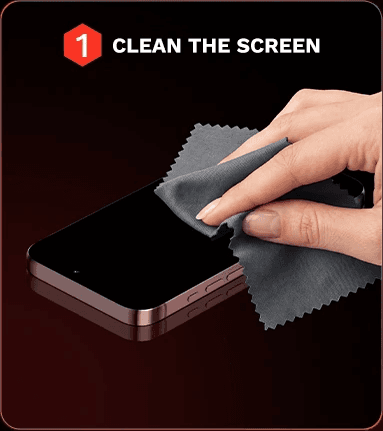
STEP 01 / 04
Start with a clean screen.
Remove your case and place your phone on a clean, flat surface. Clean the display with the cleaning supplies included in your kit, then dry it with the cloth.
Check under good light. Use the dust-removal sticker to lift any remaining specks before exposing the adhesive.
STEP 02 / 04
Let the frame guide you.
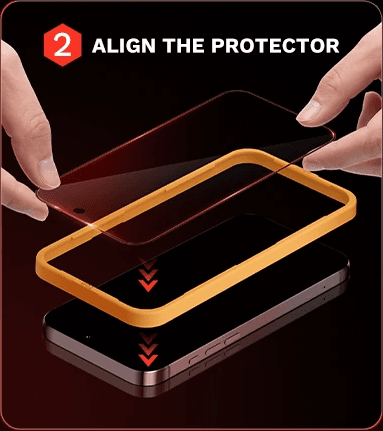
Fit the yellow alignment frame around your phone in the orientation shown by your kit. Check the top of the protector and the position of the camera opening.
When you are ready, remove the adhesive backing as directed and lower the protector into the frame. Hold it by the edges and avoid touching the adhesive.

STEP 03 / 04
A gentle touch is enough.
With the protector aligned, gently touch the center as shown in the illustration and allow the glass to settle onto the screen.
Avoid pressing hard. If your kit instructs you to smooth trapped air, use the cloth and work gently toward the nearest edge.
STEP 04 / 04
One last look. You’re ready.
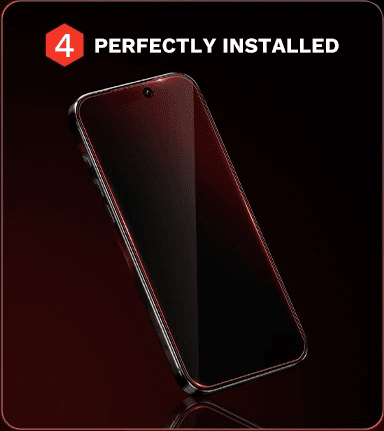
Remove the alignment frame as directed. Check the edges and camera opening, wipe the surface, then check touch response before refitting your case.
The case should not push against the glass. If an edge lifts or a speck remains, check the guidance below before trying again.
I can see a bubble.
Trapped air and a dust speck need different fixes. Follow your kit’s instructions for gently smoothing air toward an edge. If there is a visible speck at the center, avoid pressing harder. See our bubble guide or contact us before lifting the glass.
The edge keeps lifting.
Remove your case and check whether it presses against the protector. Check alignment and your exact phone model. Do not force the edge down; contact us if it continues to lift.
My kit looks different.
Use the instructions included with your particular kit. The illustrations here show an open yellow alignment frame. Send our support team your phone model and a photo of the kit if you need help identifying the steps.